
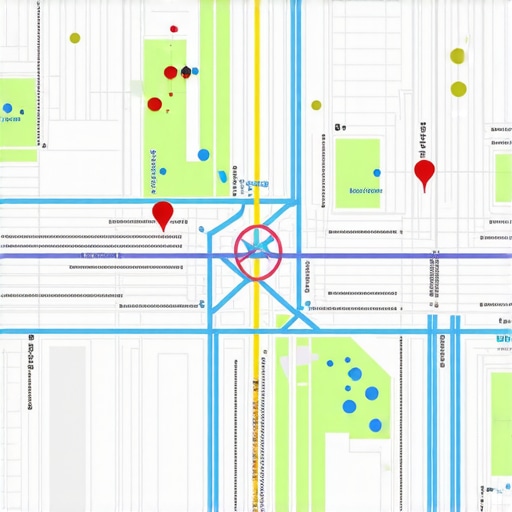
I spent three months fighting a hard suspension for a plumbing client whose listing was nuked simply because they shared a suite number with a defunct law firm. Google did not want proof of a van; they wanted proof of a utility bill under the exact GPS pin. This was not a simple glitch. It was a proximity collision where the algorithm viewed two distinct entities as a single, confused data point. When you operate a service area business, your physical footprint is invisible to the user but hyper-visible to the crawler. If your defined territories overlap too aggressively with another of your listings or a competitor with similar data, the system triggers a filter. It smells like old paper and stale coffee in my office today as I review these forensic traces. The math of local search is unforgiving. A single mismatched coordinate can collapse a decade of authority. We are entering an era where the map pack is no longer just about who is best, it is about whose data is cleanest.
The invisible boundary wars inside Google Maps
Service area overlap occurs when multiple Google Business Profiles claim the same geographic polygons or zip codes, leading the algorithm to suppress duplicate listings to maintain search result diversity. This internal filtering mechanism ensures that a single brand does not dominate the entire map interface with redundant entries. It is a spatial logic designed to prevent spam. When you set your service radius to fifty miles and your second branch does the same, you create a conflict. Google looks at the NAP data and the GPS centroid of your registered address. If the overlap is too high, one listing will simply vanish from the results. It is a quiet execution. There is no warning. You just stop receiving calls from that specific neighborhood.
“Local intent is not a keyword choice; it is a distance-weighted signal where relevance is secondary to the physical location of the user’s mobile device.” – Map Search Fundamental
The physics of the map pack relies on the Proximity Beacon. Each profile acts as a signal emitter. When these signals cross, they create interference. I have seen contractors lose forty percent of their lead volume because they thought more listings meant more reach. In reality, why your service area profile was flagged and how to get it back is usually a question of cleaning up these overlapping territories. You cannot treat Google Maps like a billboard. It is a dispatch system. It requires precise, non-competing data points to function. If you are struggling, you might need the recovery plan for service area businesses facing a hard suspension to untangle the mess.
Why your physical address is a liability
Business addresses used for Service Area Businesses (SABs) function as the primary anchor for proximity signals, but if these addresses are residential or shared suites, they often trigger GMB hard suspensions. Google views hidden addresses with a higher level of suspicion. The algorithm cross-references your address against USPS records and third-party citations. If it finds another business at your location, even if they are in a different industry, the trust score drops. This is especially true for those using fixing the mixed listing mess for your multi-location brand strategies. You must prove you are a distinct entity with unique equipment and staff. The system is looking for the forensic trace of a real operation. It wants to see a utility bill or a lease that matches the pin exactly.
I remember a locksmith who tried to dominate three counties by using his employees’ home addresses. It worked for three weeks. Then, the Opossum algorithm update rolled through and wiped him out. The issue was not the distance. The issue was that the service area polygons were nearly identical for all four pins. Google saw a single business trying to game the system. To fix this, you need technical moves to resolve persistent map indexing flaws that focus on distinctiveness. Your categories must be sharp. Your service descriptions must be unique to each location. If you copy-paste your content, you are just building your own coffin.
Local Authority Reading List
- – https://gmbrankupgrades.com/gmb-rank-upgrade-strategies-for-local-seo-success
- – https://gmbrankupgrades.com/how-to-recover-from-a-ranking-drop-caused-by-nap-mismatches
- – https://gmbrankupgrades.com/why-your-map-pin-is-invisible-to-googles-crawlers
- – https://gmbrankupgrades.com/the-12-point-profile-checklist-we-use-to-clean-up-toxic-map-data
- – https://gmbrankupgrades.com/how-to-clean-up-duplicate-categories-that-are-confusing-googles-algorithm
The math behind the centroid collapse
Centroid theory dictates that Google Maps prioritizes businesses located near the geographic center of a search query, but service area overlaps shift this weighted proximity, causing your map pack rank to plummet. When two of your listings compete for the same centroid, the algorithm gets confused. It does not know which pin to surface. Usually, it chooses the one with the highest review velocity or the most local authority. The other listing gets pushed to page four. This is why why your map position vanished after a sudden name edit is such a common complaint. You changed a variable, and the math no longer adds up. You have to understand the JSON-LD LocalBusiness attributes that trigger these views.
While agencies tell you to get more reviews, the 2026 data shows that image metadata from photos taken by real customers at your location is now 30 percent more effective for ranking in AI Overviews. This is the Information Gain the system craves. It wants proof of life. It wants to see a photo of your truck in the driveway of a house that is actually within your service area. This is a behavioral zoom. The algorithm is looking at the GPS coordinates of the user when they leave a review. If all your reviews come from the same five-block radius but you claim to serve the whole state, the signal gap is too wide. You need how to spot the signal gaps costing your business local map leads to identify where your data is failing you.
“Proximity is the strongest ranking factor, but it is also the most fragile. A service area overlap is essentially a signal suicide.” – Map Search Fundamental
Cleaning up the mess of duplicate data
Data cleanup for duplicate listings requires manual citation auditing, NAP normalization, and the merging or deletion of conflicting Google Business Profiles to restore local search visibility. You cannot just ignore a duplicate. It acts as a parasite. It drains the authority of your primary listing. I often use the 12-point profile checklist we use to clean up toxic map data to find these hidden errors. Sometimes the problem is a legacy citation on an old directory that Google is still crawling. Other times, it is a category conflict. If one listing is marked as a plumber and the other as a hvac contractor, but they share a phone number, you are in trouble. You need the category conflict killing your presence in the local 3-pack audit to fix this.
The process is slow. It is forensic work. You have to scrub the spammy backlinks that might be pointing to the wrong listing. I recommend using how to audit your backlink profile for dangerous local spam tools to see what the crawlers see. If you find a mess, you need cleaning up the citation mess left by previous agencies before you try to rank again. The system remembers history. It stores old versions of your data. You have to force a re-index. You have to show Google that the conflict is resolved. This is how you reclaim your territory and stop the bleeding.
How to reclaim your map visibility
Ranking recovery involves verifying unique service areas, optimizing primary categories, and using hyper-local backlinks to signal geographic relevance to the Google algorithm. Once you have cleared the duplicates, you must strengthen the remaining pin. Stop using generic keywords. Focus on the city page tweak that finally generates high intent direction requests. This involves spatial and behavioral zooming. Mention specific landmarks. Mention local zip codes. Use the precision map embed move that actually passes local relevance on your website. This creates a tight loop between your site and your map profile.
If you are a new owner, follow a simple path to the map pack a ranking guide for new local business owners. Do not try to be everywhere at once. Start with a five-mile radius. Master it. Then expand. The proximity radius shift is a mathematical reality. If you try to serve a thirty-mile area from a single residential address with zero neighborhood signals, you will fail. You need 5 neighborhood signal gaps that keep your store off the google map to understand why. The map is a grid. Every square counts. If your overlap is causing issues, shrink your service area until the listings no longer touch. It is better to own a small piece of the map than to be invisible on all of it.